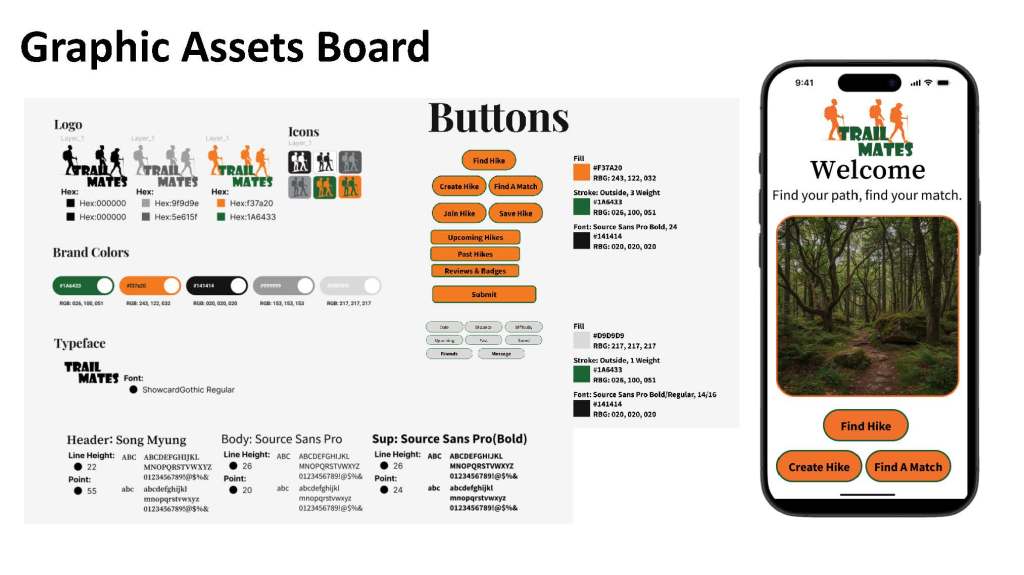
Designing a mobile experience for people who feel hesitant hiking alone.
TRAILMATES
TrailMates is a mobile app concept designed to help people feel more confident and prepared when hiking independently. I translated user needs into a structured mobile experience, moving from research and user flows to low-fidelity wireframes and an interactive prototype.
MY ROLE : UX Designer
PRODUCT : Mobile App
METHODS : User Research, User Flows, Wireframing, Prototyping
TOOLS : Figma, FigJam, Maze
THE PROBLEM
Hiking can be an enjoyable way to explore the outdoors, but going alone can create uncertainty around safety, preparation, and finding appropriate trails. The challenge was to design an experience that helps hesitant solo hikers feel more informed and confident before and during a hike.
THE GOAL
Create an intuitive mobile app that reduces the uncertainty of hiking alone by providing clear trail information, preparation guidance, and supportive features that help users feel confident throughout their journey.
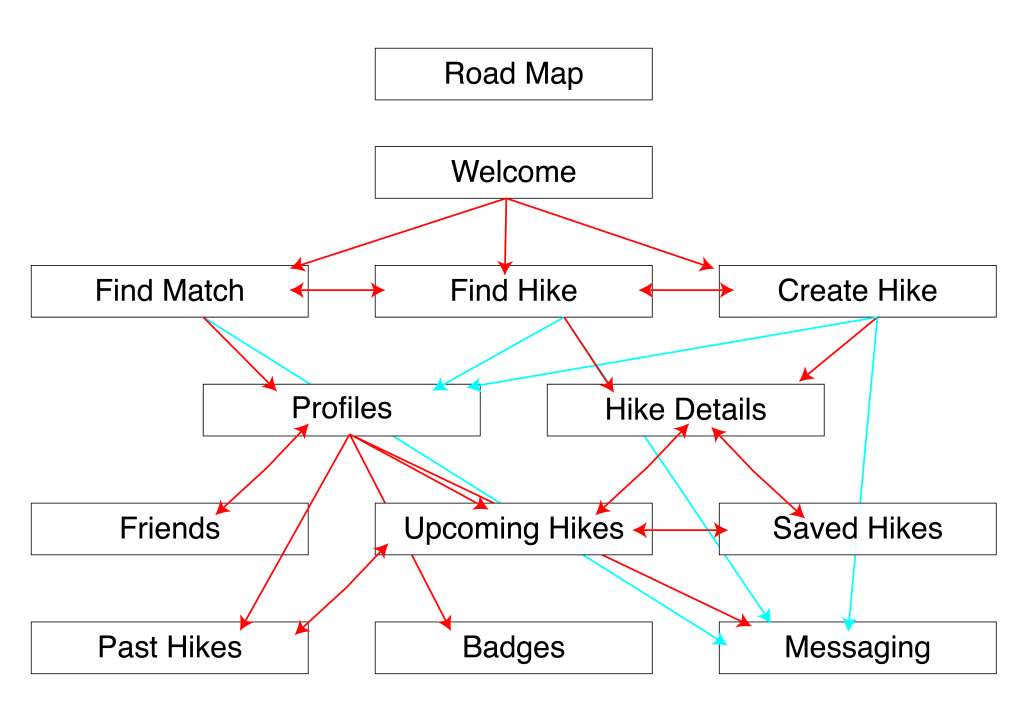
From Needs to Features
I translated key user needs into features that help solo hikers feel more prepared and confident. Clear trail details, preparation tools, safety support, and trail discovery features were designed to reduce uncertainty throughout the hiking experience.
User Flow
I mapped the core user journey before wireframing to create a clear path through the app. The flow guides users from discovering and selecting a trail to reviewing details, preparing for the hike, and confidently getting started.
DESIGN DIRECTION
Research helped establish the foundation for the app: provide hesitant hikers with clear information, guidance, and reassurance without making the experience feel overwhelming.
From Wireframes to Prototype
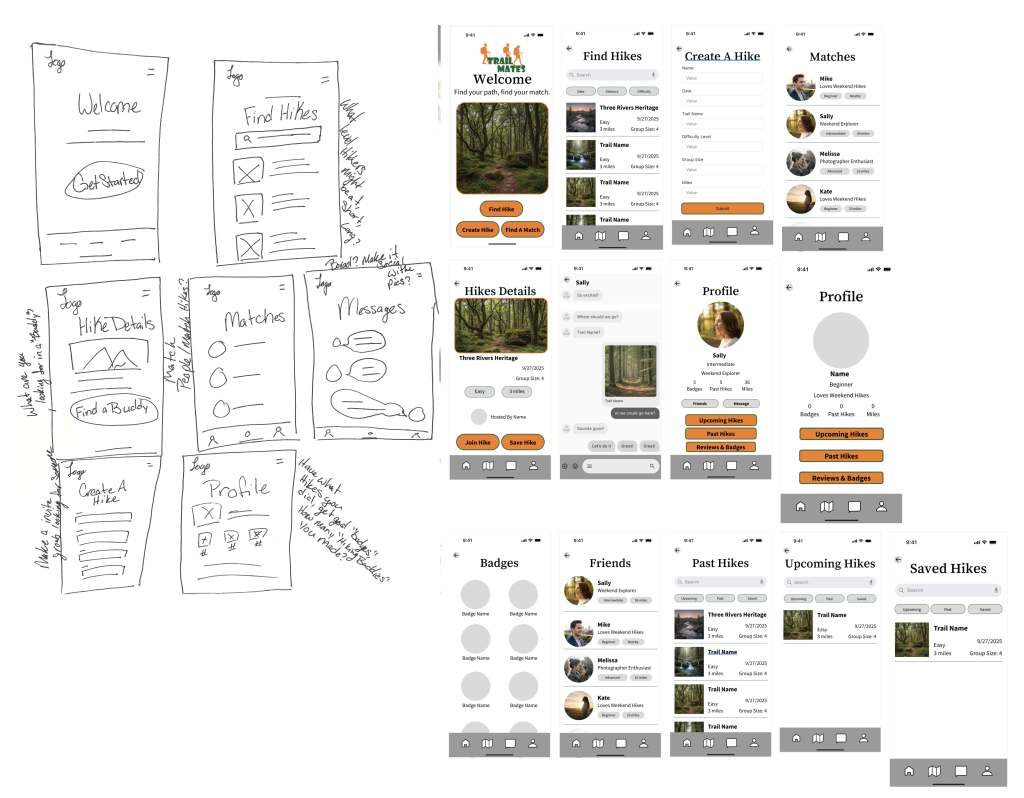
Turning the user journey into a clear, testable mobile experience.
LOW-FIDELITY WIREFRAMES
I began with low-fidelity wireframes to focus on structure, navigation, and functionality before adding visual details. This allowed me to quickly explore how users would move through the core hiking experience
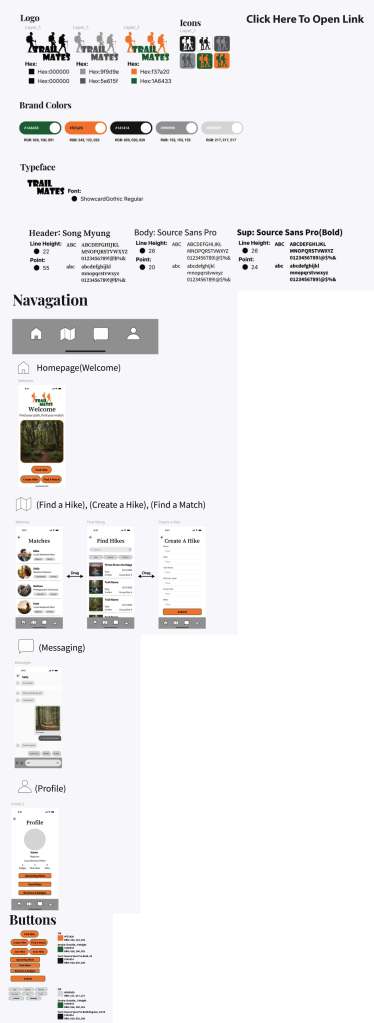
PROTOTYPING
I connected the key screens into an interactive prototype to evaluate the overall flow and make sure users could move naturally from discovering a trail to preparing for their hike.
FINAL EXPERIENCE
The final prototype brings together trail discovery, detailed information, preparation guidance, and supportive features in one experience designed to help hesitant solo hikers feel more informed and confident.
WHAT I LEARNED
This project taught me the importance of establishing structure before focusing on visual design. Moving from user needs to flows, wireframes, and an interactive prototype helped me understand how each design decision contributes to the overall user experience.

